Reports and insights
Project reports, the workspace overview, the portfolio of epics and delivery metrics.
Project reports
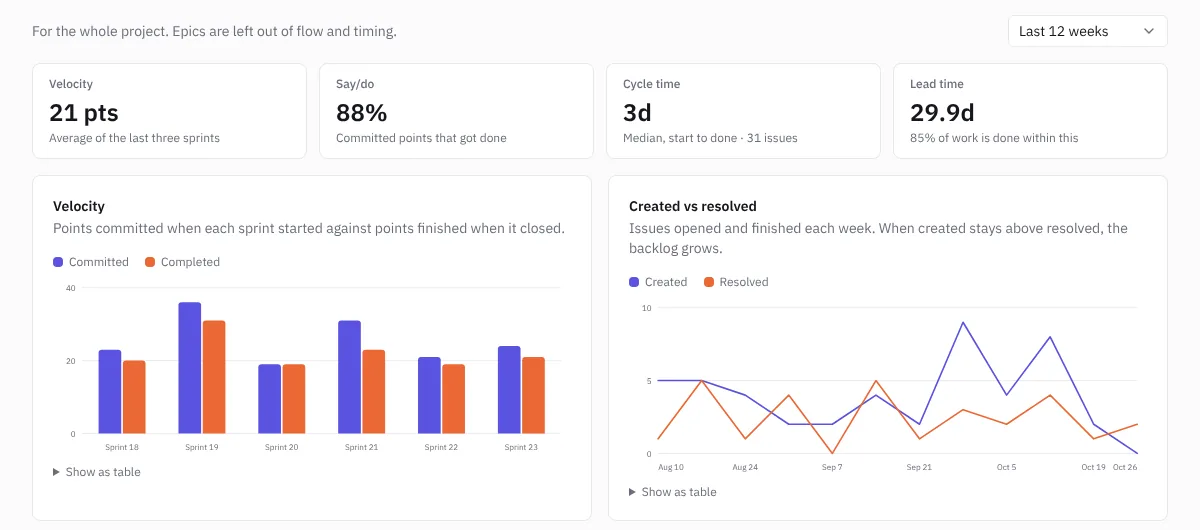
Each project's Reports tab covers the whole project. Choose the range at the top right.
 Project reports
| Measure | What it tells you |
|---|---|
| Velocity | Points committed when each sprint started against points finished when it closed |
| Say/do | The share of committed points that got done |
| Cycle time | How long work takes once someone starts it |
| Lead time | How long work takes from creation to done |
| Created vs resolved | Issues opened and finished each week. If created stays above resolved, the backlog grows |
| Open work | Issues open at the end of each week, including the backlog |
Each chart has Show as table for the numbers.
Overview
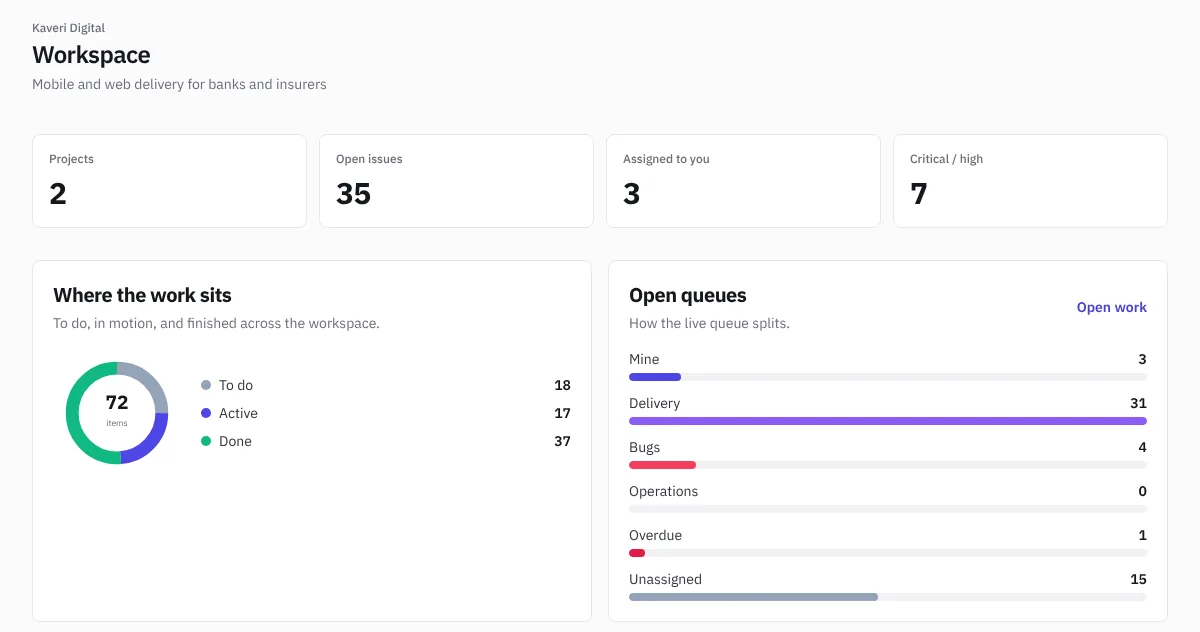
Overview is the whole workspace on one page: open issues, what's assigned to you, critical and high work, how work splits across queues, and each project's progress.
 The workspace overview
Portfolio
Portfolio lists every epic across projects with its stage:
- Idea: nothing has started.
- In delivery: work or code is moving.
- Built, not live: the work is done but hasn't shipped in a release or reached production.
- Live: its release shipped, or its merged code is in production.
Each epic shows progress, code, release and target. Below, each project shows open issues, open bugs, overdue work, work done in the last 30 days and the active sprint. Filter by project or team.
Delivery
Delivery shows the four DORA metrics from production deployments and merged pull requests:
- Deployment frequency: how often you deploy to production.
- Lead time for changes: from pull request opened to production.
- Change failure rate: the share of deployments that failed or were rolled back.
- Time to restore: from a failure to the next good deployment.
Each is rated against industry levels. Tick which environments count as Production. The Delivery page needs the Delivery plan or the Firm Pack, and it's included during the free trial; on other plans it shows what upgrading unlocks. To fill this page, connect your repositories; see Pipelines and code.