Use NaatOps on your phone
Install NaatOps on your home screen, turn on alerts and work on the go.
NaatOps works in your phone's browser and can be added to your home screen like an app. There's nothing to download from an app store.
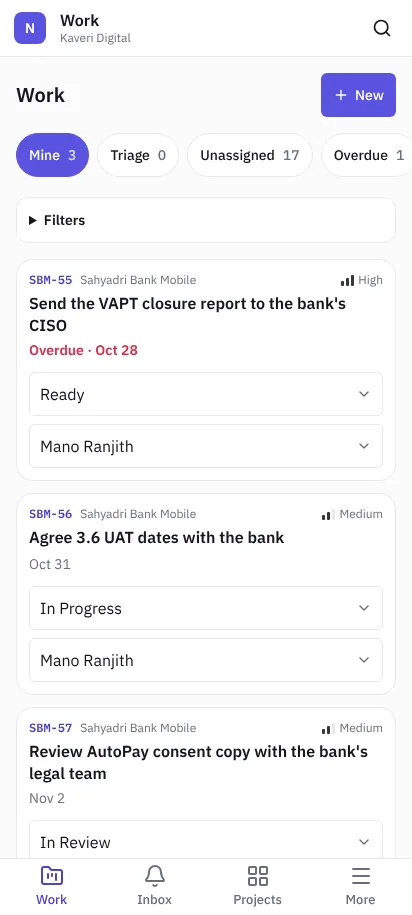 NaatOps on a phone
Install it
Android (Chrome): open NaatOps and sign in. Choose Install app on the note above My work, or open Chrome's menu and choose Install app or Add to Home screen.
iPhone and iPad (Safari): open NaatOps and sign in. Tap Share, then Add to Home Screen. Open NaatOps from the new icon.
The installed app opens full screen, shows the unread count on its icon (where the phone supports it) and has shortcuts to My work and Inbox when you long-press the icon.
Turn on alerts
After installing, choose Turn on alerts on the note or in More, and allow notifications. You'll get an alert for assignments, mentions, comments and other updates you haven't muted, even when the app is closed. Tap an alert to open the issue.
Change what you get in Settings › My account. Signing out turns alerts off on that phone.
Getting around
The tabs at the bottom are Work, Inbox, Projects and More. More has Releases, Roadmaps, Planning, Delivery, People and capacity, Pipelines, Settings and your account.
- Board: swipe to move between columns. To move a card, press and hold it until the phone buzzes, then drag.
- Backlog: drag rows by their handle.
- Test runs: one case at a time, with Pass, Fail, Blocked and Skip buttons at the bottom. Add this phone fills in the device, OS, browser and screen size, and you can attach a screenshot to a bug you file.
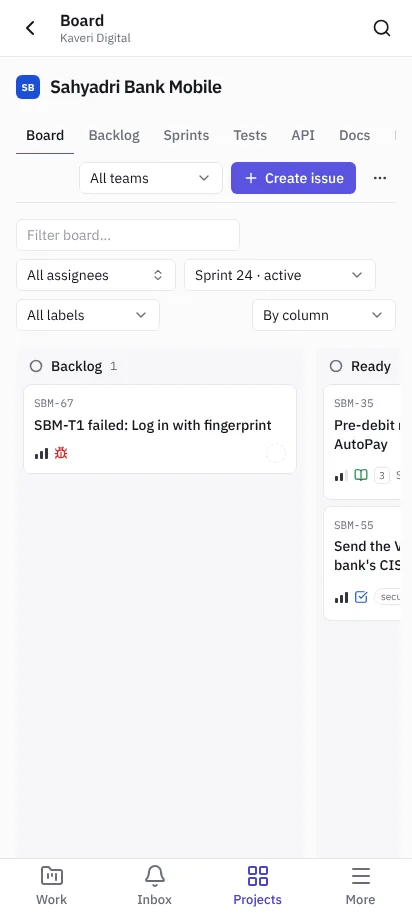 The board on a phone
Offline
Pages you've opened recently still open without a connection, and a strip at the top tells you you're offline. Changes need a connection.