For QA teams
Test management that lives on the story
Write test cases next to the stories they prove, run them every release, and check the APIs in the same place. When the client asks what was tested, send one link.
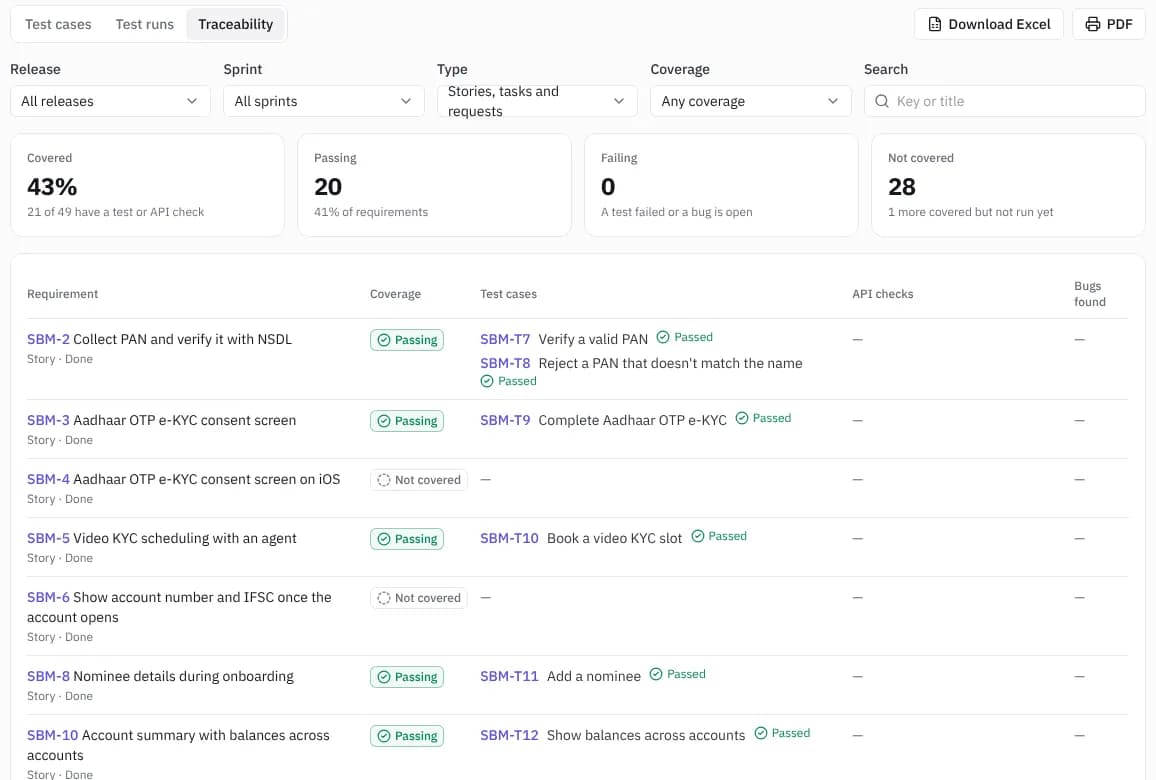
Test cases on the story
Link each case to the stories it covers. A story shows which tests prove it and how they last went.
- Suites, steps and expected results
- Coverage per story
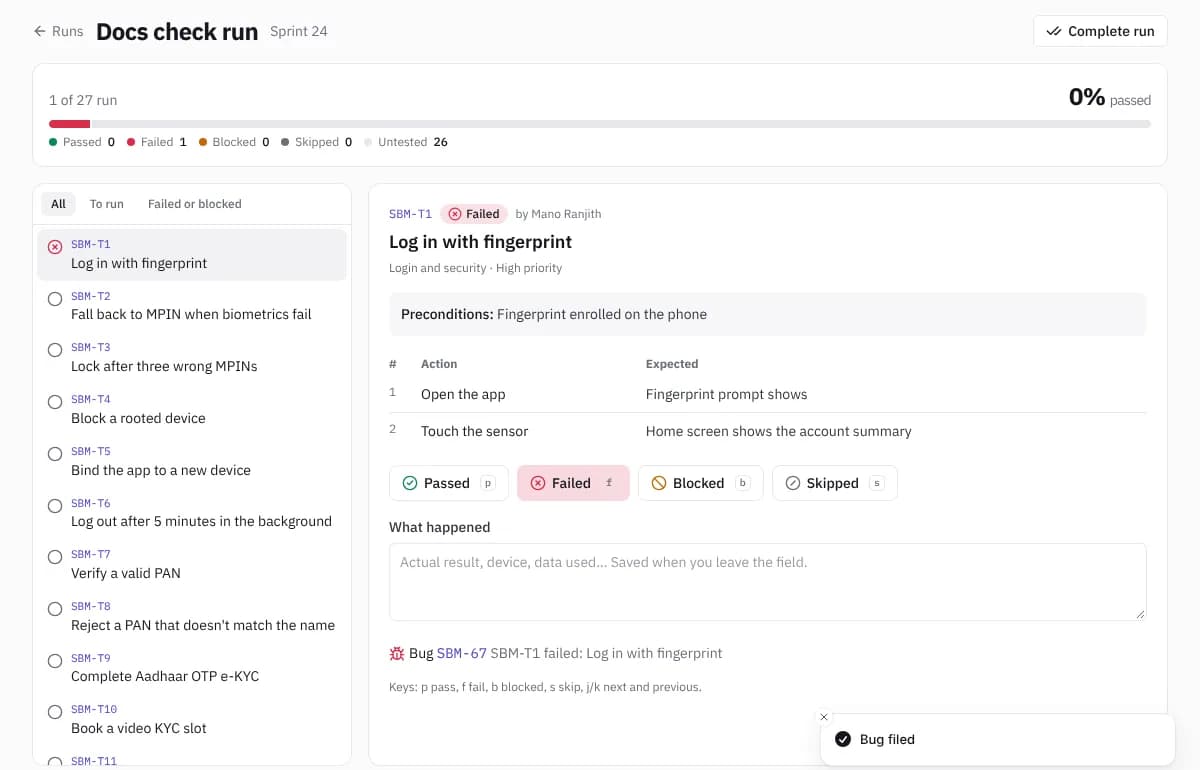
- Bugs filed from a failed step
Runs and pass rates
Run a suite for a sprint or a release and see the pass rate as you go. Automated results from CI land in the same place.
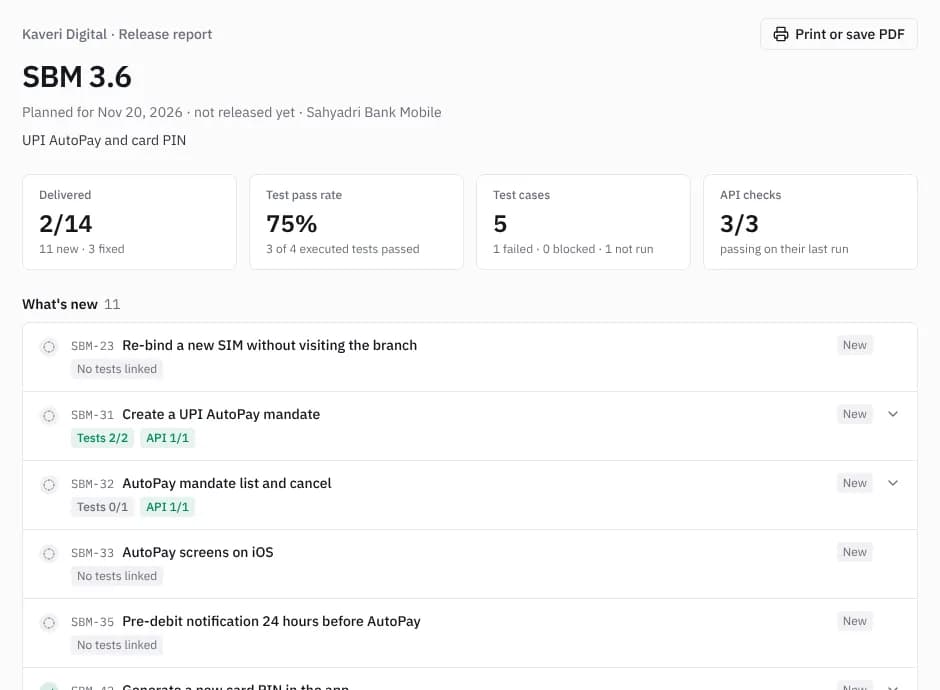
API checks and the release report
Assert on your APIs from the project, then send the client a report of stories shipped, tests run and API checks passed.
Questions
- Can we move our test cases out of Excel?
- Yes. Import an Excel or CSV sheet, including TestRail, Zephyr and Xray exports, with steps, expected results and suites.
- Do testers need a separate tool for API testing?
- No. The API workspace is part of every plan, with shared requests, environments and assertions.
- Can the client see results?
- Yes. Each release has a read-only report link, and clients can be invited to a portal to raise issues and sign off.
Try it with your own project
Free for up to 10 users. Team and Delivery start with 30 days free, no card needed.