Project budgets and rates
Set a fixed fee or a time-and-materials cap per project, watch it burn from timesheets and get alerts.
Each project can have a budget that burns down from the time your team logs. You see how much is used, what's left and, for fixed-price work, the margin, without a separate spreadsheet.
Owners, admins and managers see a project's Budget tab. Only owners and admins set rates and see cost rates.
Set people's rates
Owners and admins open Settings › Rates.
- Bill rate is what an hour of that person's time bills the client, in rupees.
- Cost rate is what an hour of their time costs you, such as salary and overheads divided by working hours.
Type whole rupees per hour, such as 1500, and choose Save rates. Leave a bill rate empty to use the project's default rate.
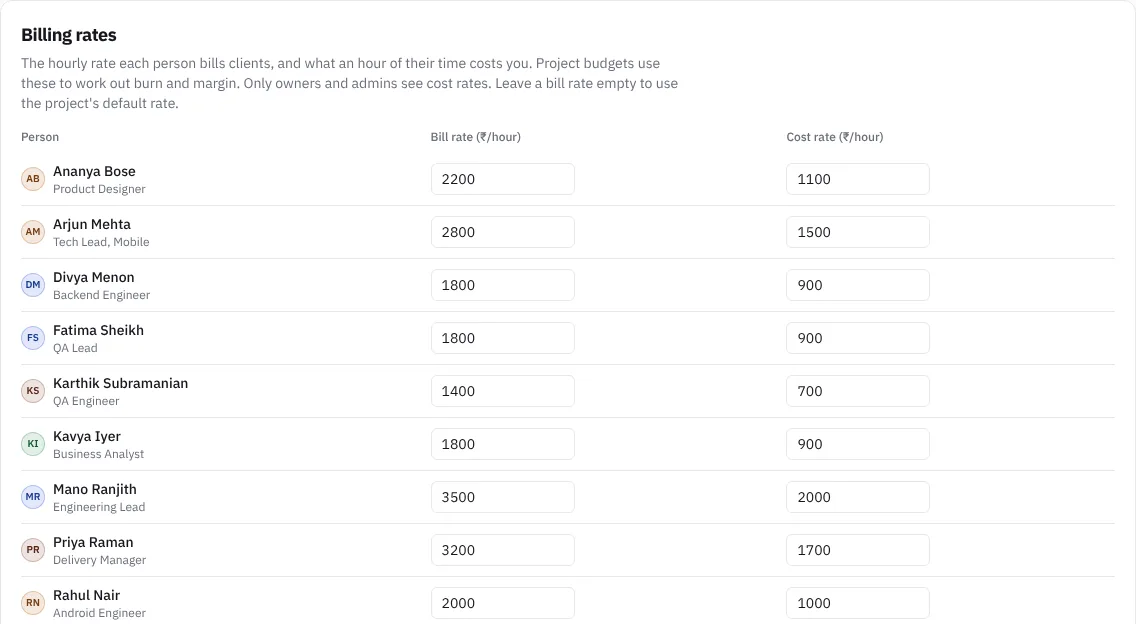 Bill and cost rates per person
Set a project budget
- Open the project and choose the Budget tab, then Set a budget.
- Pick How the client pays:
- Time and materials: the budget burns by billable hours at each person's bill rate, against the agreed cap.
- Fixed price: the budget burns by what the team's time costs you, at cost rates, so you can see the margin left.
- Enter the Budget cap or Fixed fee in rupees.
- Optionally set a Default hourly rate for people without a bill rate.
- Set Alert managers at (%), such as 75, 90.
- Add Notes such as the PO number or what's out of scope, then choose Save budget.
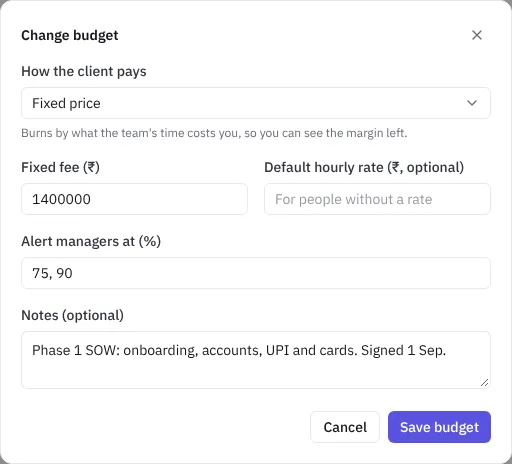 Setting a fixed-price budget
Read the budget
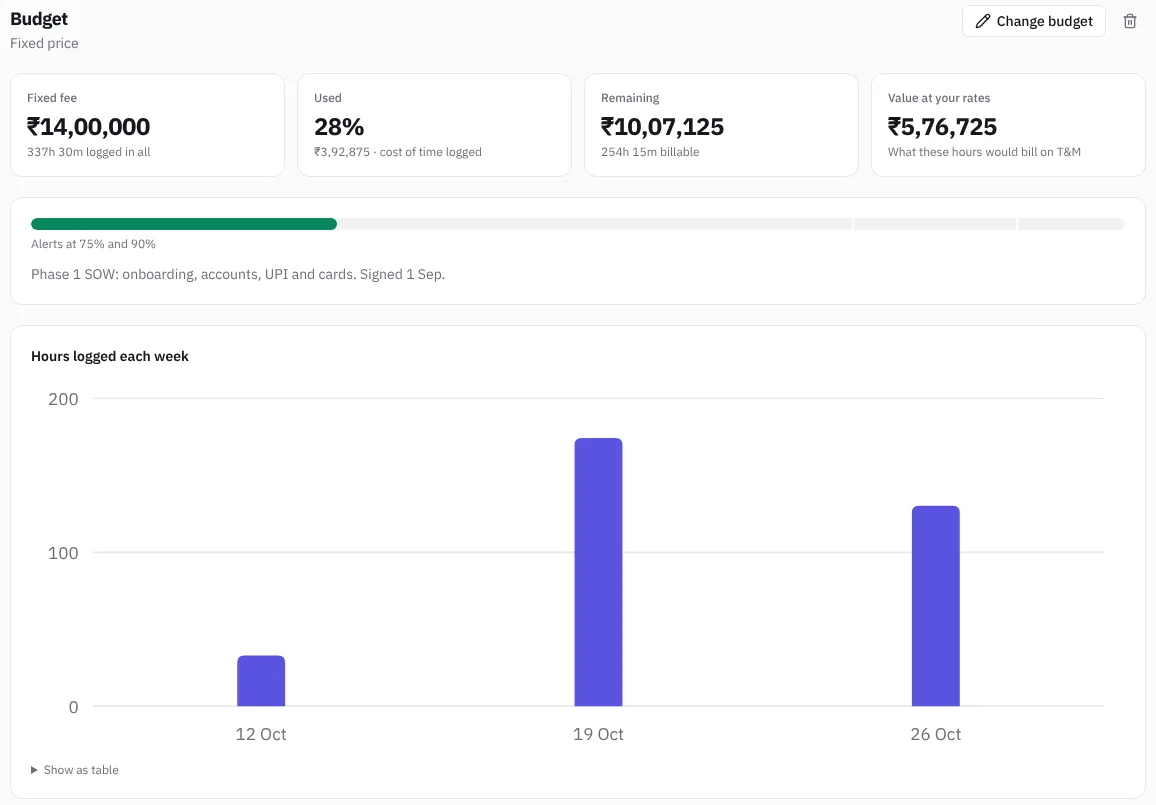 A project budget
- The cards show the fee or cap, how much is Used as a percentage and in rupees, and what's Remaining, or how far it's Over budget by.
- On fixed price, Value at your rates shows what the same hours would bill on time and materials. If it's more than the fee, the work is under-priced. Margin shows what's billed minus the cost of time, once cost rates are set.
- The bar marks your alert levels. Hours logged each week shows the trend, and Who the time came from lists each person's logged and billable hours, value and cost.
Only time logged on the project's issues counts. See Time tracking and timesheets.
Alerts
When logged time first takes a budget past an alert level, owners, admins and managers get a notification such as "₹10,50,000 of ₹14,00,000 used, past the 75% alert". Each level alerts once. Raising the budget or changing the levels brings back the alerts that are no longer crossed.
To change the budget, choose Change budget. To remove it, use the bin. Logged time stays.