Use case
Move test cases out of Excel
Bring your sheet in as it is. NaatOps reads the columns, shows how they map, and creates suites, cases, steps and expected results linked to the stories they cover.
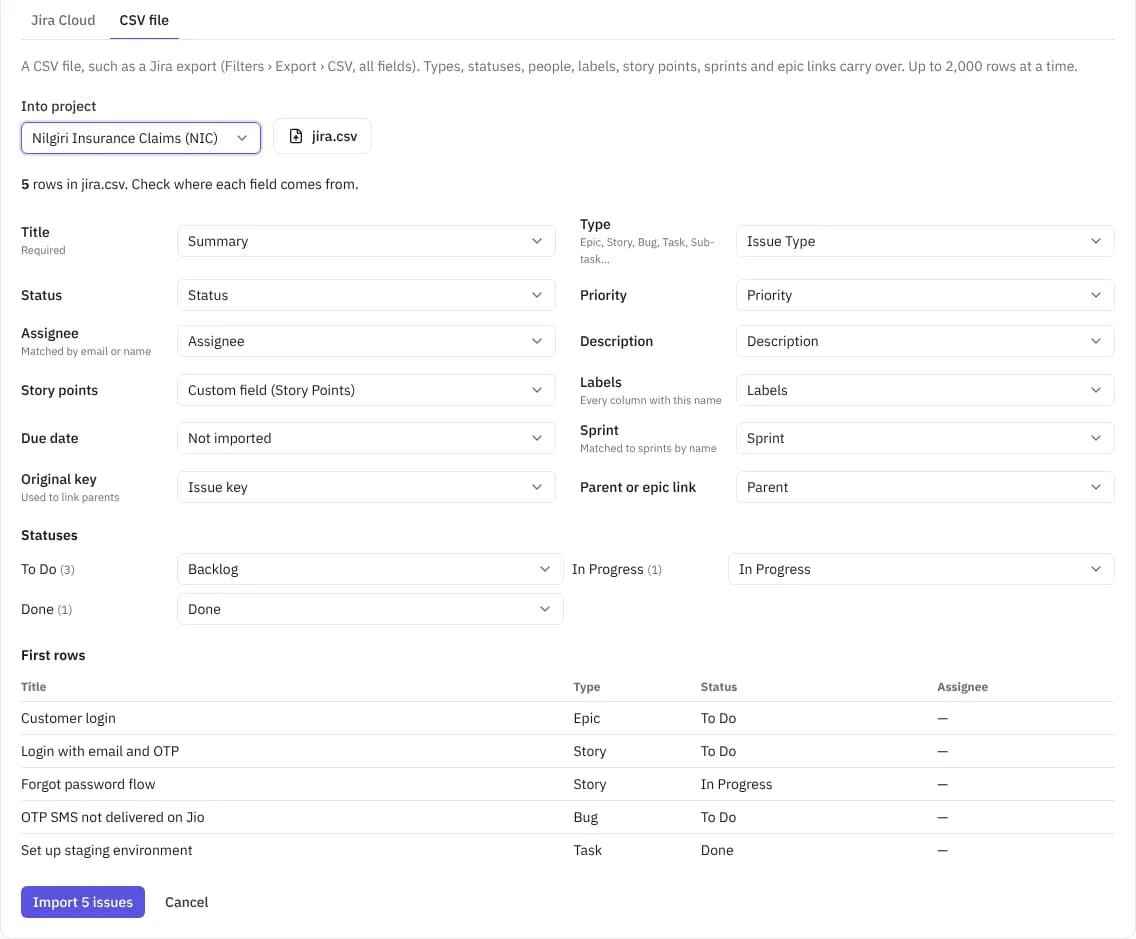
Import with a preview
Upload an Excel or CSV file and check the mapping of columns before anything is created.
- Steps one per row, or numbered in one cell
- Suites from a section, module or folder column
- Links to stories by issue key, such as MOB-12
Run them every release
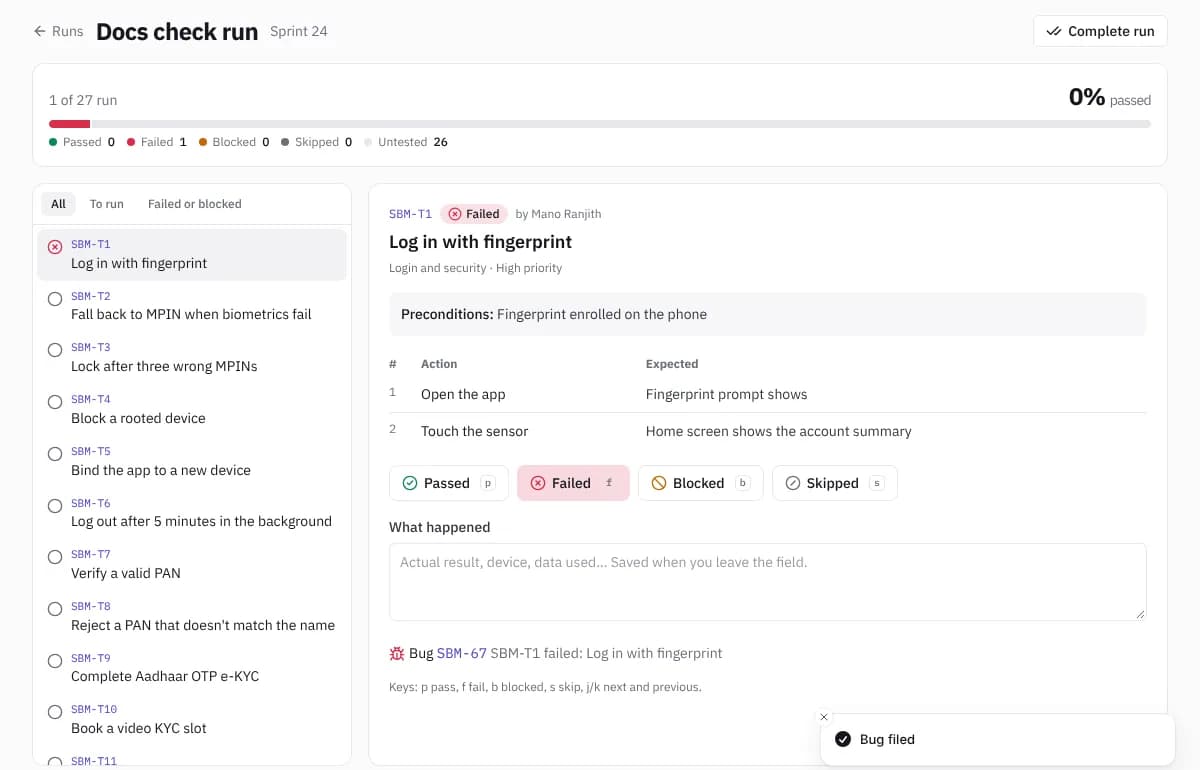
Start a run from any suite, record a result per case, and file bugs from failures without retyping.
Coverage you can show
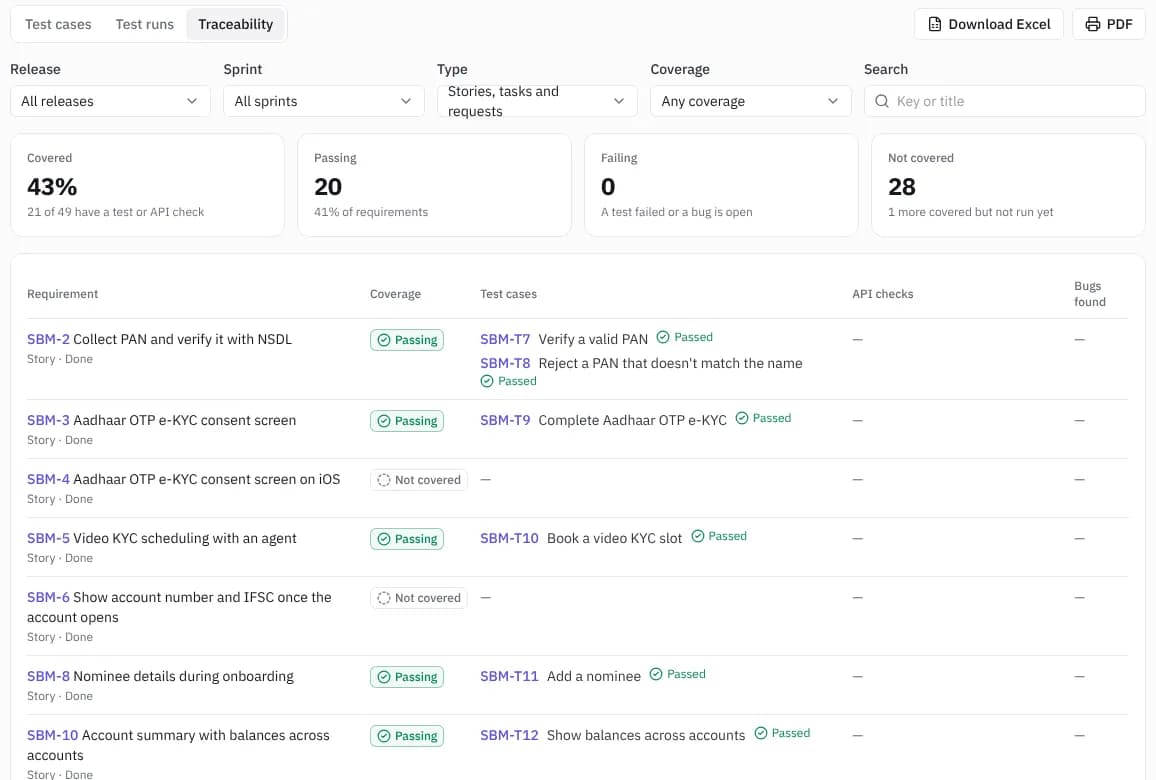
See which stories have tests and how they last went, then share the release report with the client.
Questions
- What formats can I import?
- Excel (.xlsx) and CSV, including exports from TestRail, Zephyr and Xray.
- Do we lose the history in our sheet?
- Cases, steps, suites and links come over. Past run results stay in your sheet; new runs are recorded in NaatOps.
- Can you do the import for us?
- Yes. Migration and setup is free with a yearly Firm Pack, and ₹49,999 once otherwise.
Try it with your own project
Free for up to 10 users. Team and Delivery start with 30 days free, no card needed.